Made to discover
every exploit
Press Right-Shift anywhere and the whole toolkit is there. Our toolkit provides you with a wide variety of specialized tools, making you ready to hunt for exploits on any server
The modules
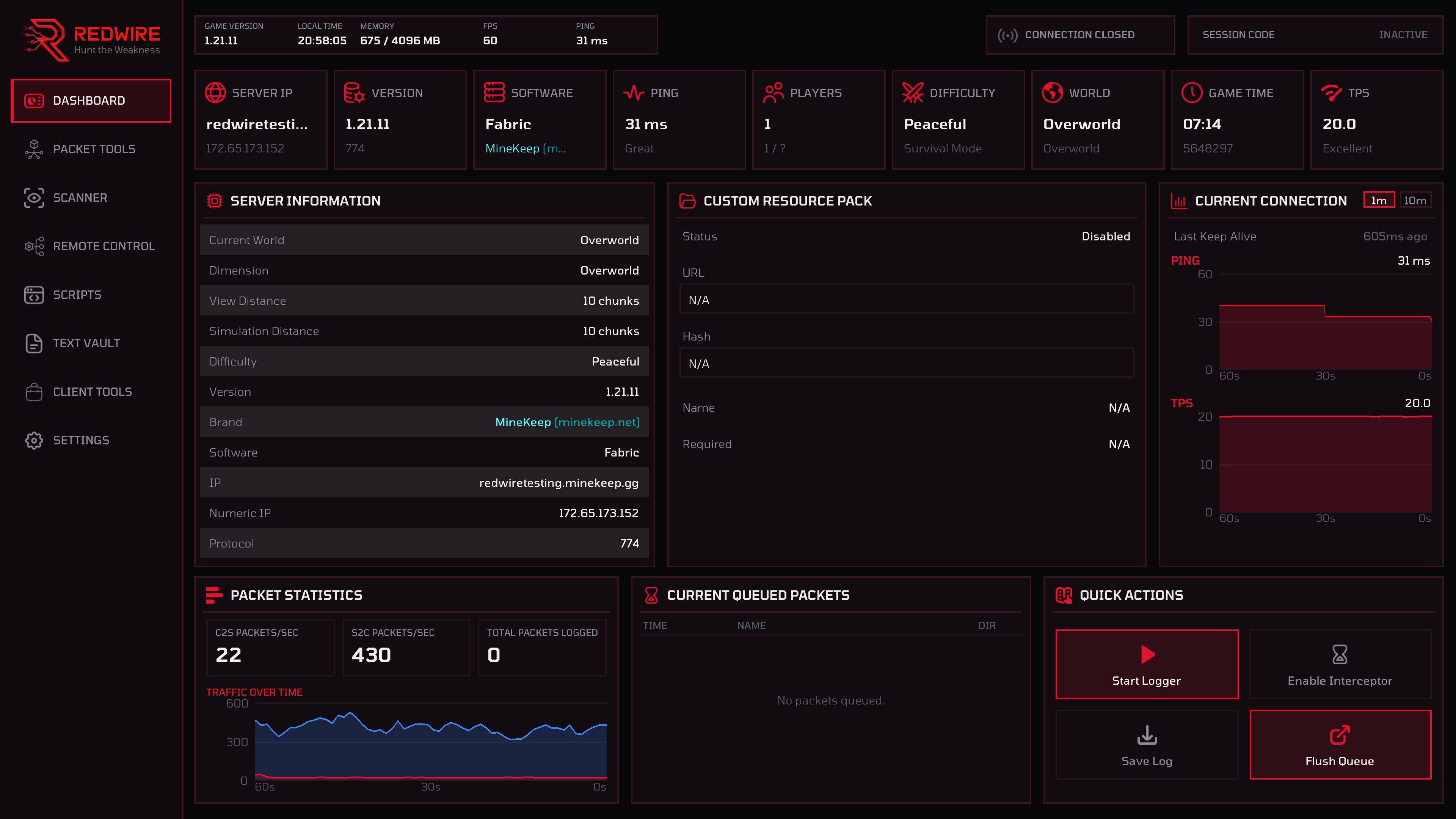
A live read-out of various information about the server: IP, version, software, ping, player count, resource pack, TPS and ping graphs at 1m or 10m
Log, Intercept, Edit and Send packets in bulk. Every packet tool you need all in one place
Discover which commands a server has and which plugins it is running, without any administration powers
Control several Minecraft clients from one of them over your local network. Synchronize actions across all your accounts
Create your very own scripts without writing any code using our custom built visual scripting platform
Write, style and store the text using a custom text editor with a wide range of customization options
A large collection of quality of life tools, including Fullbright, Component Viewer and many more
The place to customize the mod, from setting the theme to changing the keybinds
Dashboard
The dashboard provides information about the server you are connected to: IP, protocol version, server software, player count, resource-pack state and keep-alive timing. Ping and TPS are shown in a graph and can be switched between a one-minute and a ten-minute window, so a stutter you felt thirty seconds ago is still on screen.
- Server identity, software guess and protocol version
- Rolling ping and TPS graphs at 1m or 10m
- Quick actions to start the logger, rescan or open a script
Packet Tools
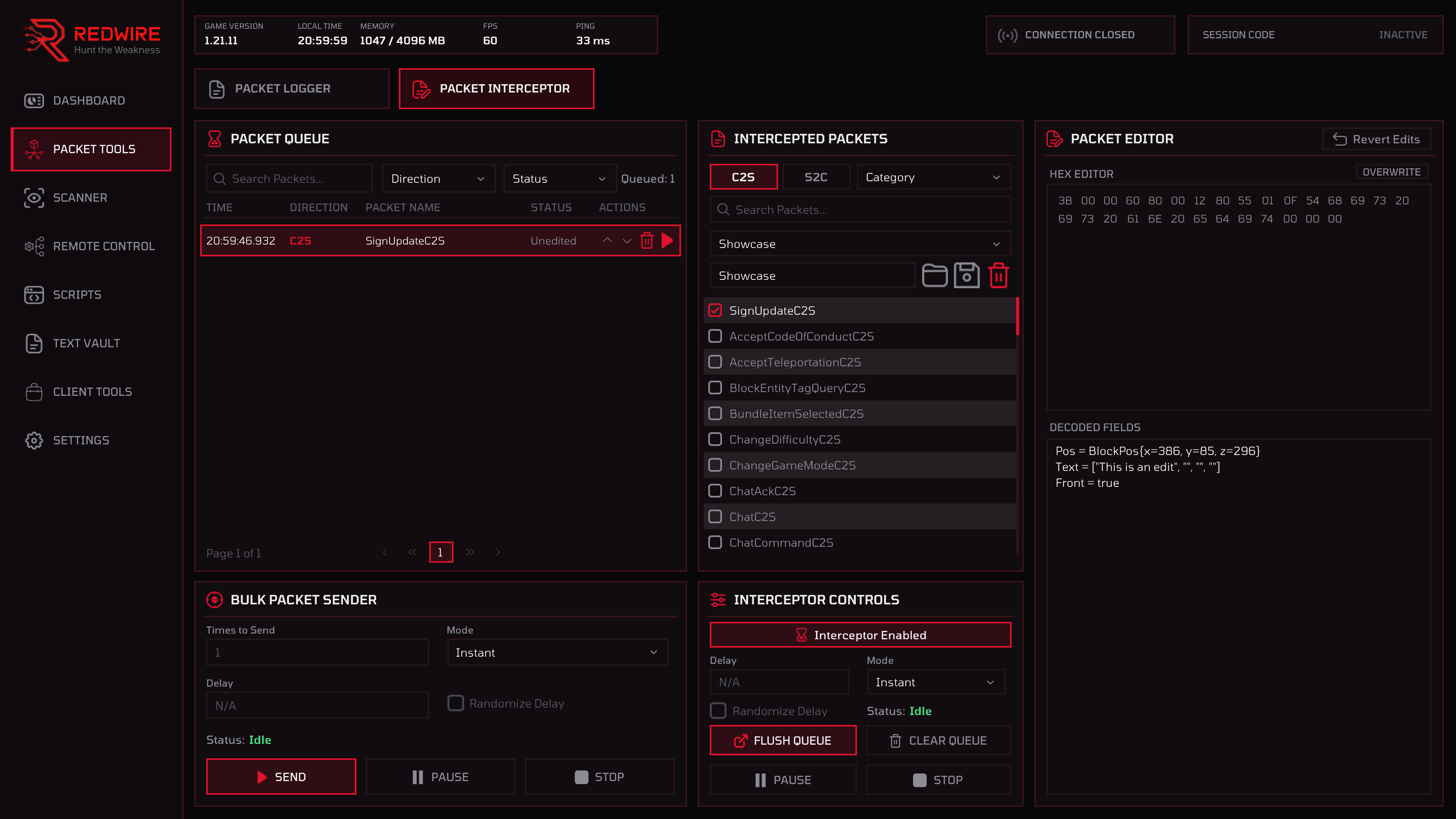
The logger records C2S and S2C traffic into a filterable table with per-second rates and a traffic graph; suppress a noisy type you don't need and it stops filling the log. The interceptor holds chosen packet types in a queue before they take effect. You can edit them, send them in bulk or simply change their order before sending the packet.
- Hex editor and decoded-field editor, kept in step, with the option to revert any changes
- Bulk sender: repeat one queued packet instantly or paced with an optional random delay
- Packets sorted by category, to make managing them much easier
Scanner
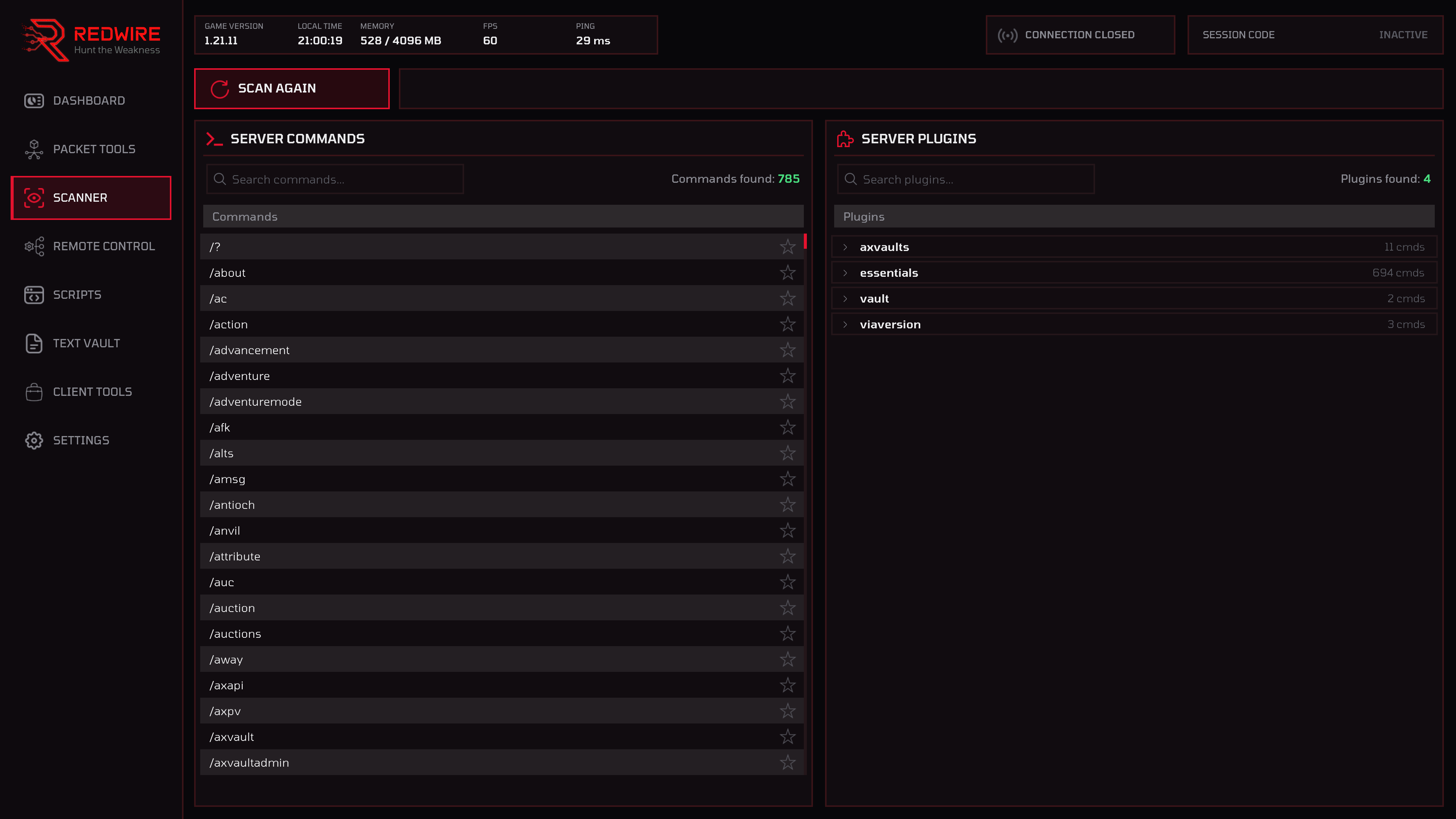
Figure out every command and which plugins a server has with a single click of a button. Every plugin lists the commands it owns, giving you full insight in the server's plugin architecture.
- Click a command to drop it into your chat box, ready to send
- Expand a plugin to see the commands it owns
- Favorite your most used commands to pin them to the top of the list
Remote Control
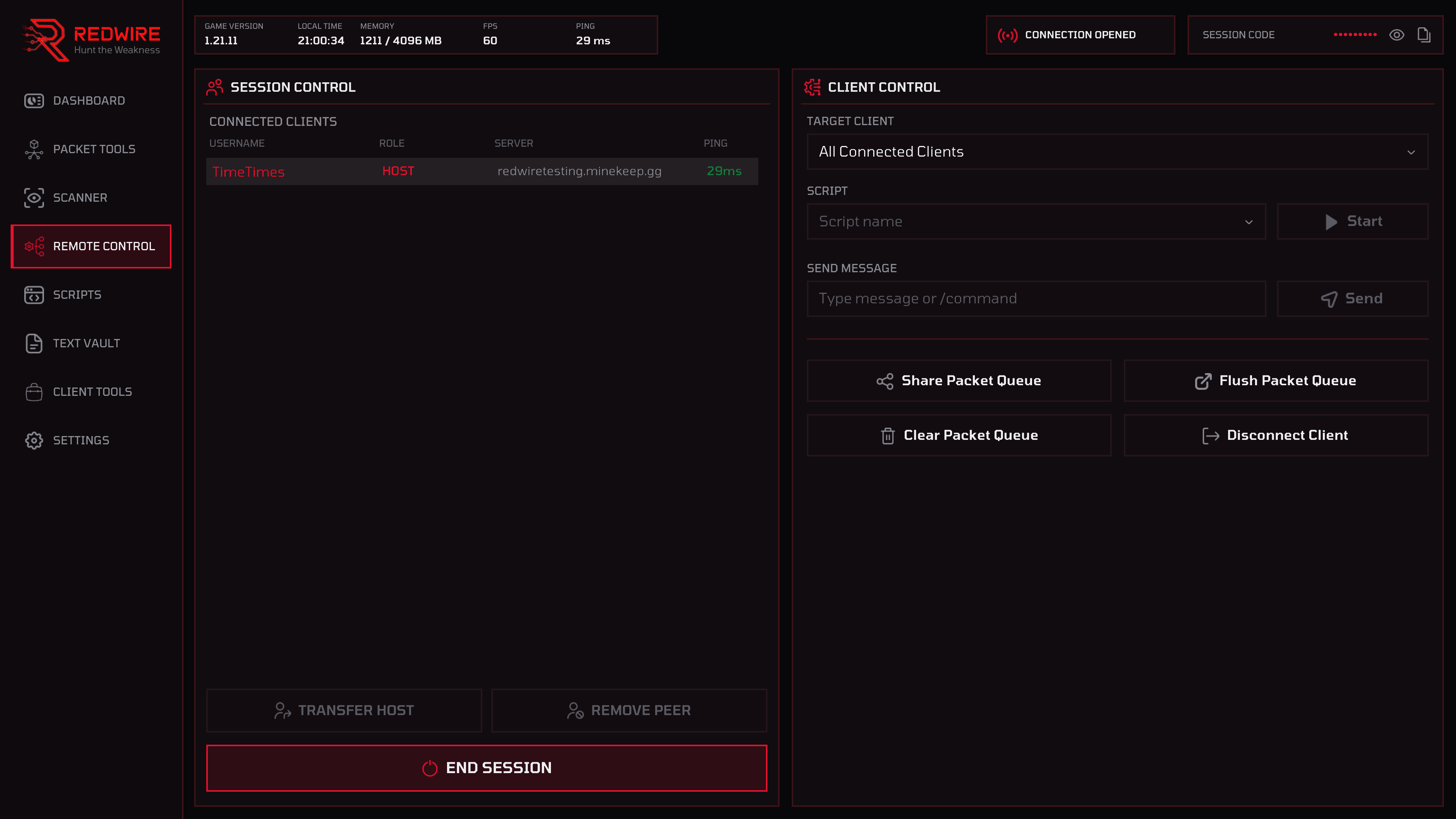
One client hosts a session and broadcasts on your local network. Others can join with an eight-character code if they are on the same network. The host client can run a script on every client at once, speak as them, share or flush their packet queues and disconnect them, all without alt-tabbing.
- Client list with username, server, ping and role
- Scripts travel with the command. No need to copy the same script into every client's directory
- LAN only and every client runs the same Redwire build
Scripts
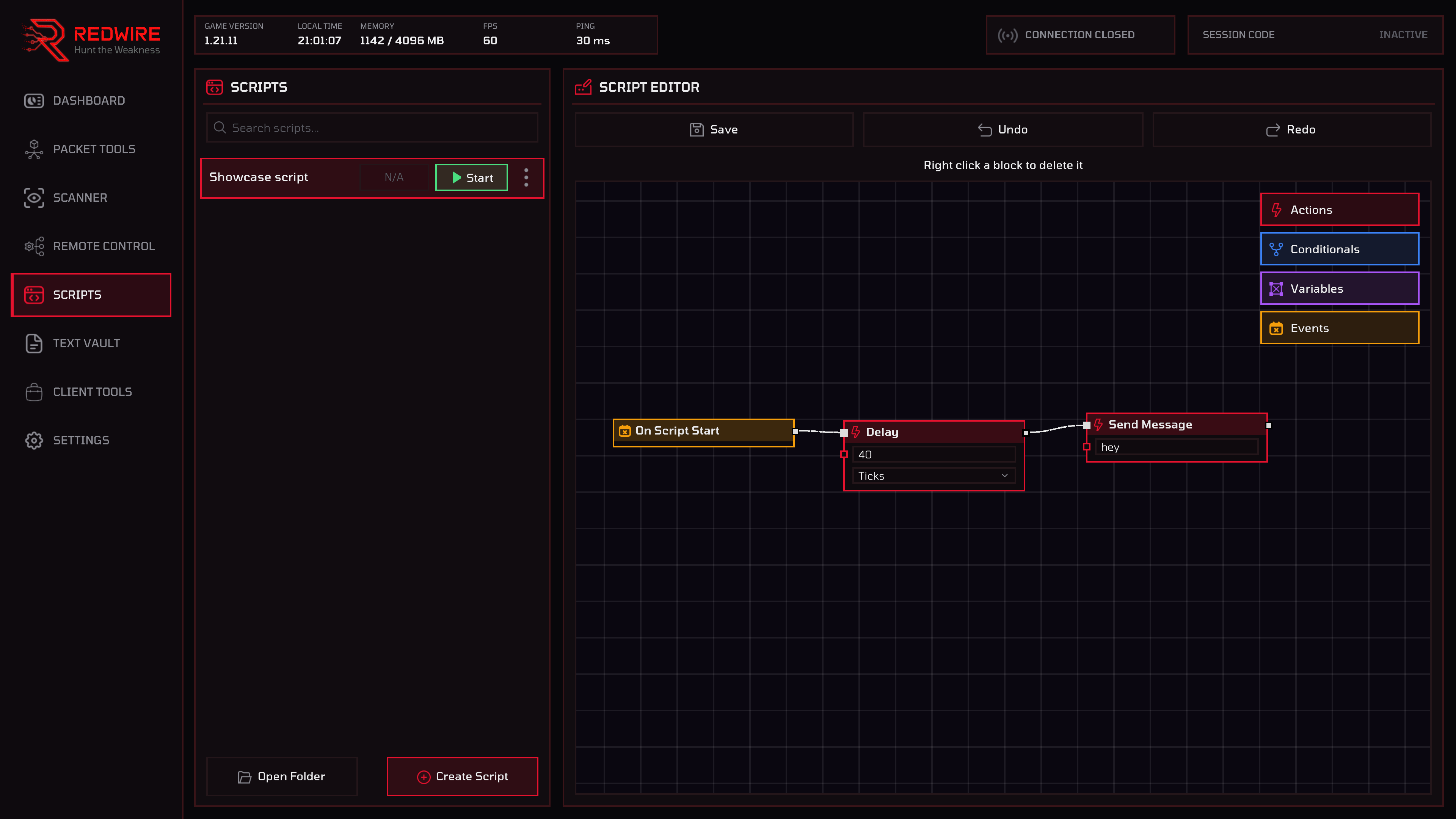
Drag blocks onto a canvas and wire them up. Flow wires decide what happens next; data wires feed live values such as your health, the block you are looking at, the last chat line and more into another block’s fields. Scripts keep running when you disconnect, so one can wait on the main menu, rejoin, and carry on.
- Events, Actions, Conditionals and Variables with a wide selection of options
- Easily undo and redo any change you make
- Start from the panel, a keybind, or a remote-control session
Text Vault
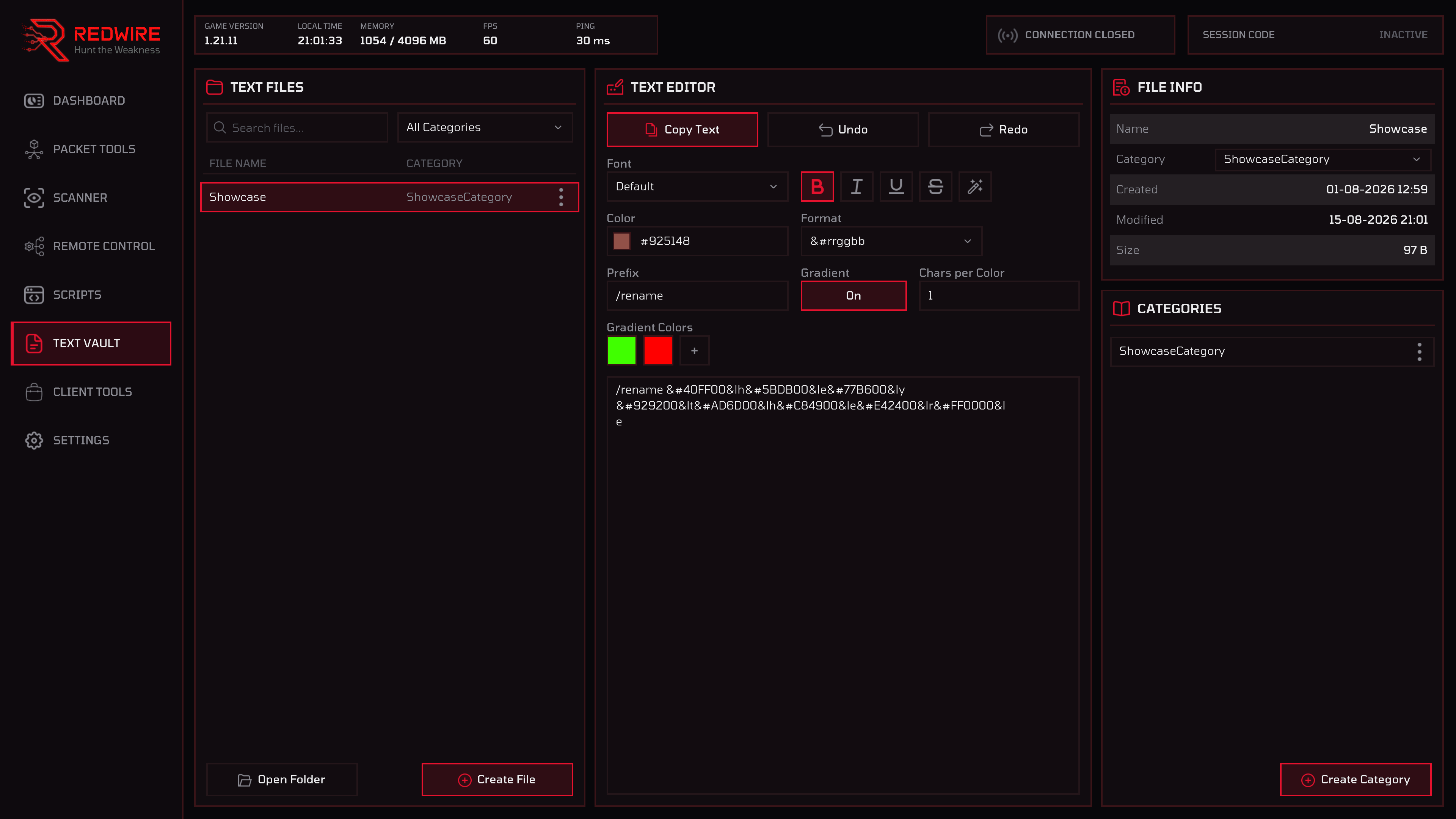
Write, style and store text without leaving the game. Fifteen different fonts to choose from and many formatting options. A live editable preview shows the result before it goes anywhere. You also have the ability to create your very own categories in order to organize your text files in any way you want.
- Fifteen fonts, five colour syntaxes, five style toggles
- Live preview of the output which you can edit freely
- Custom categories to make organizing as easy as it can be
Client Tools
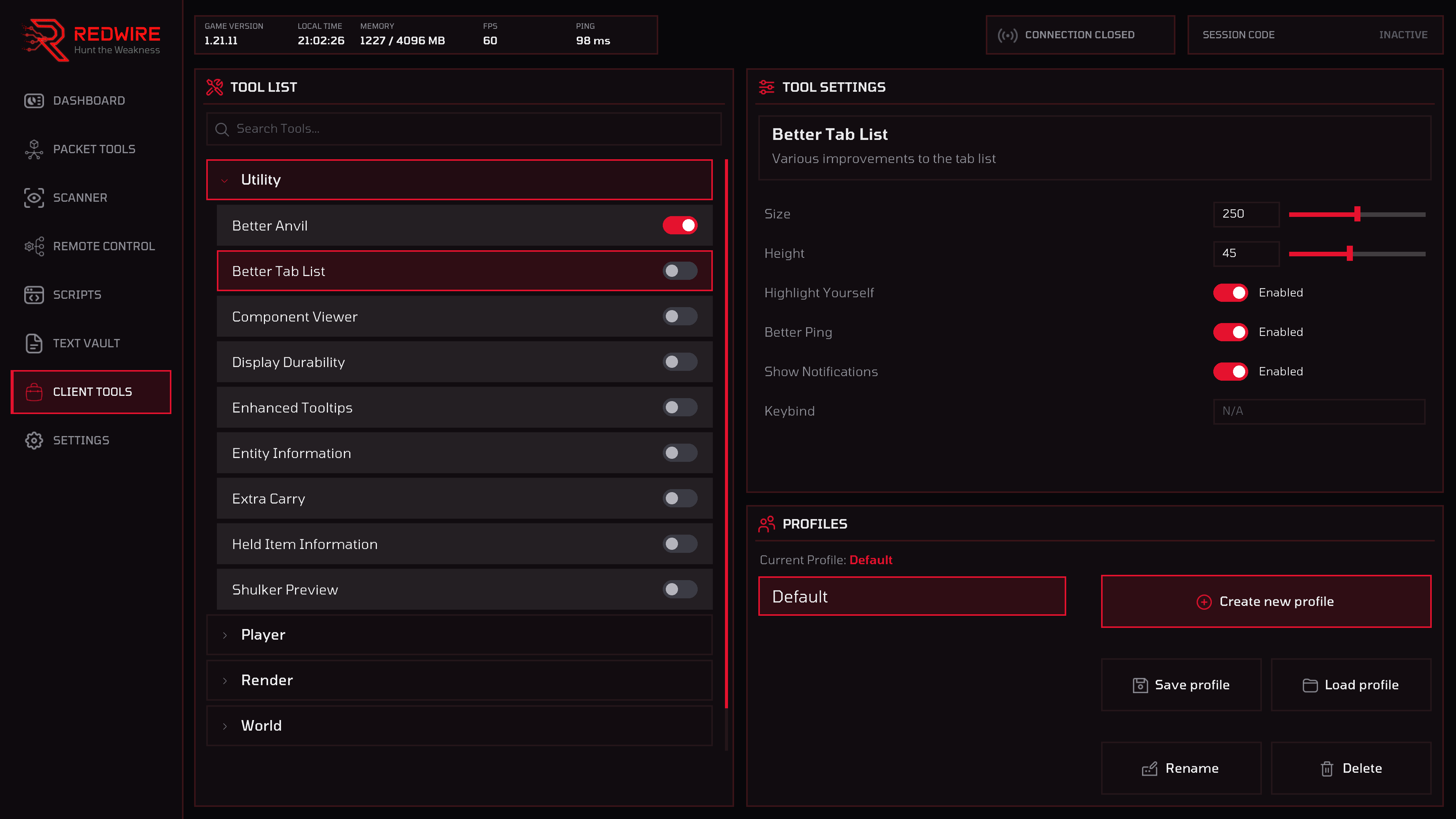
Fullbright, freecam, zoom, tracers, shulker previews, component viewer, auto tool, auto armour, safe walk, sound blocking, auto reconnect and much, much more, grouped into Utility, Player, Render, World and Miscellaneous. Each tool can be customized, giving you full control over every feature.
- Five categories with a wide variety of tools
- Custom profiles to easily save and load tool states
- Wide customization options for every tool
Settings
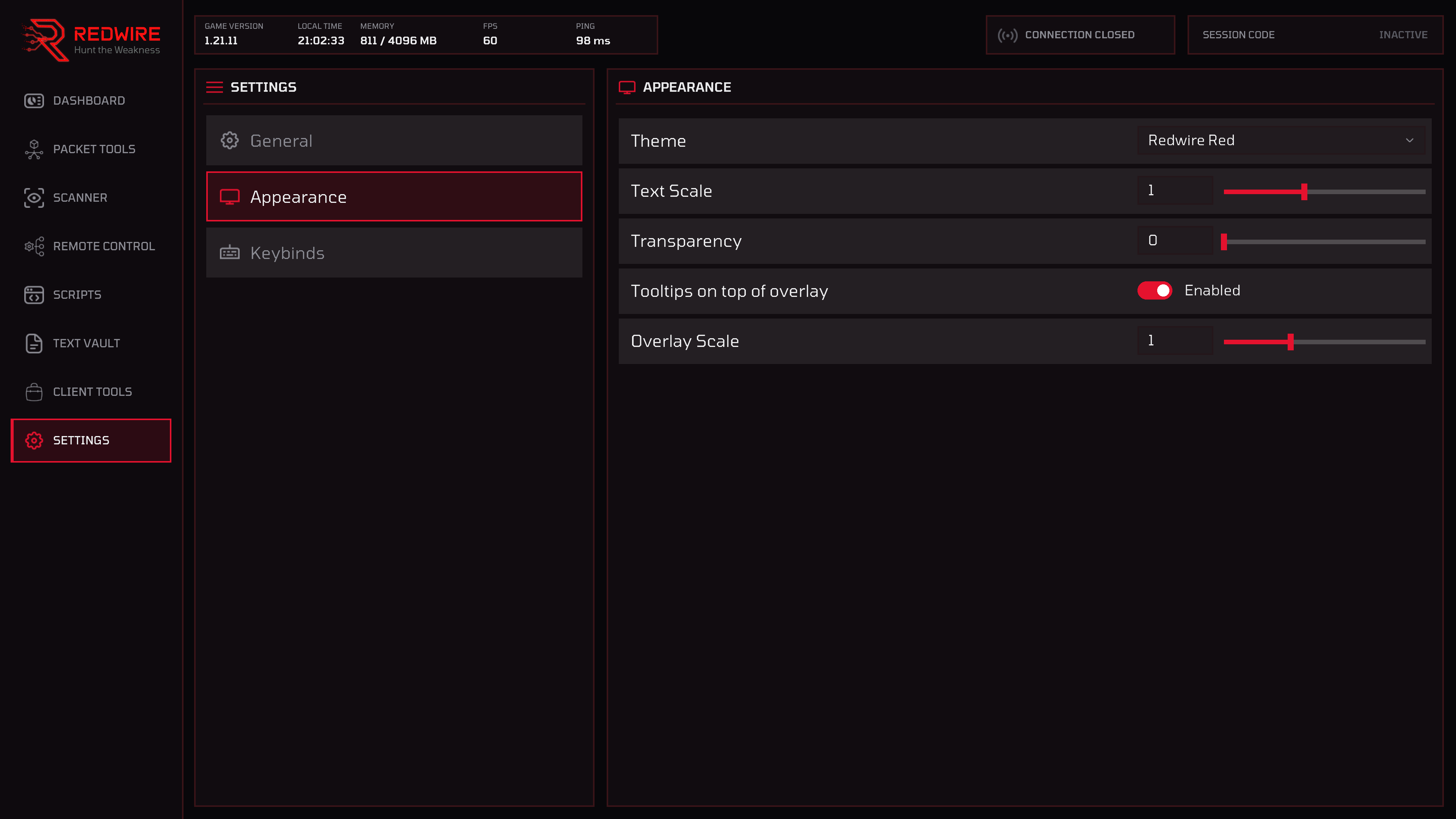
Theme, text scale, panel transparency, notification style, startup page and whether Redwire reopens on the tab you left. Full customization and a suite of keybinds.
- General, Appearance and Keybinds
- Full control over the mod with custom keybinds
- Change Redwire's directory with a simple click of a button
Beyond the panel
Custom Menus
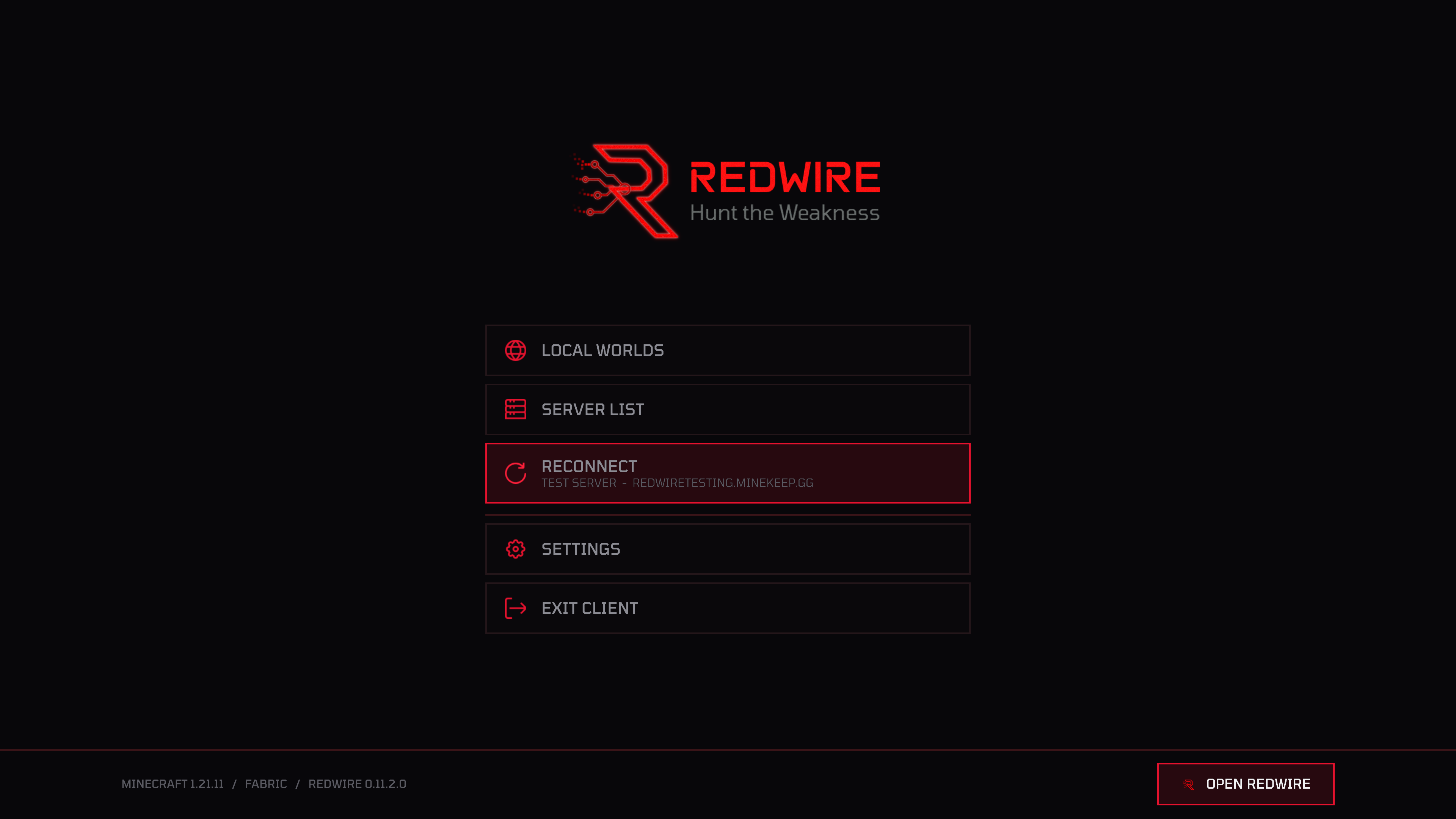
Every screen Minecraft uses, all custom in Redwire with added functionality. You have the ability to reconnect to your previous server right from the home screen, or connect multiple accounts right in the server list.
- The feel of a true professional toolkit
- Every vanilla screen completely made custom
- Connect multiple accounts in the server list, either official or cracked
Overlays
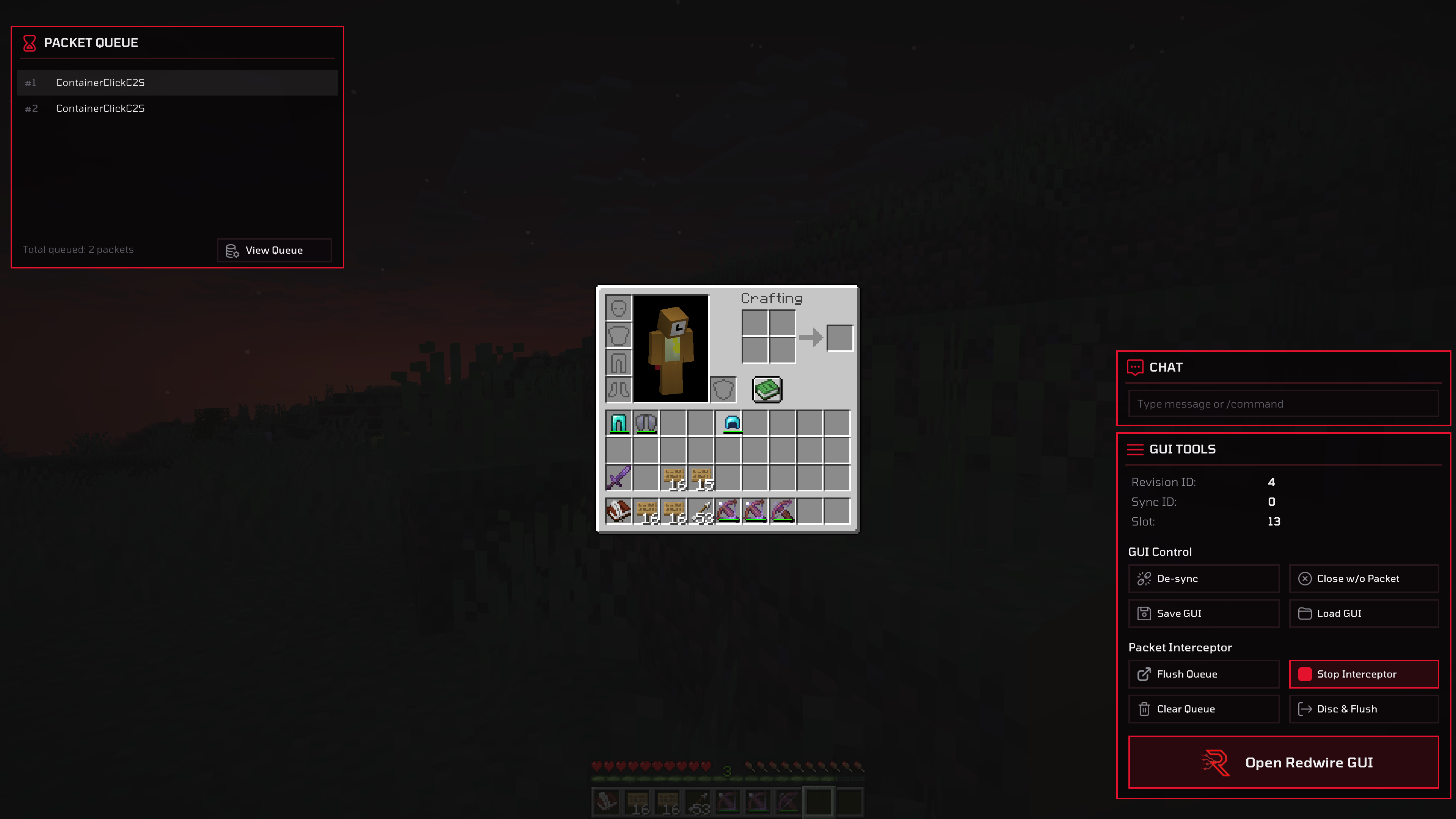
Open any GUI and the overlay windows appear. A live packet queue down one side, a chat box allowing you to send any message or command while in a GUI, and GUI Tools providing you with the revision ID, sync ID and the slot under your cursor. Various options such as de-sync, save and load GUI are one click away, so a container state can be captured and replayed.
- Live packet queue while a GUI is open
- Chat without closing the screen you are inspecting
- GUI Tools: revision ID, sync ID, hovered slot, de-sync